

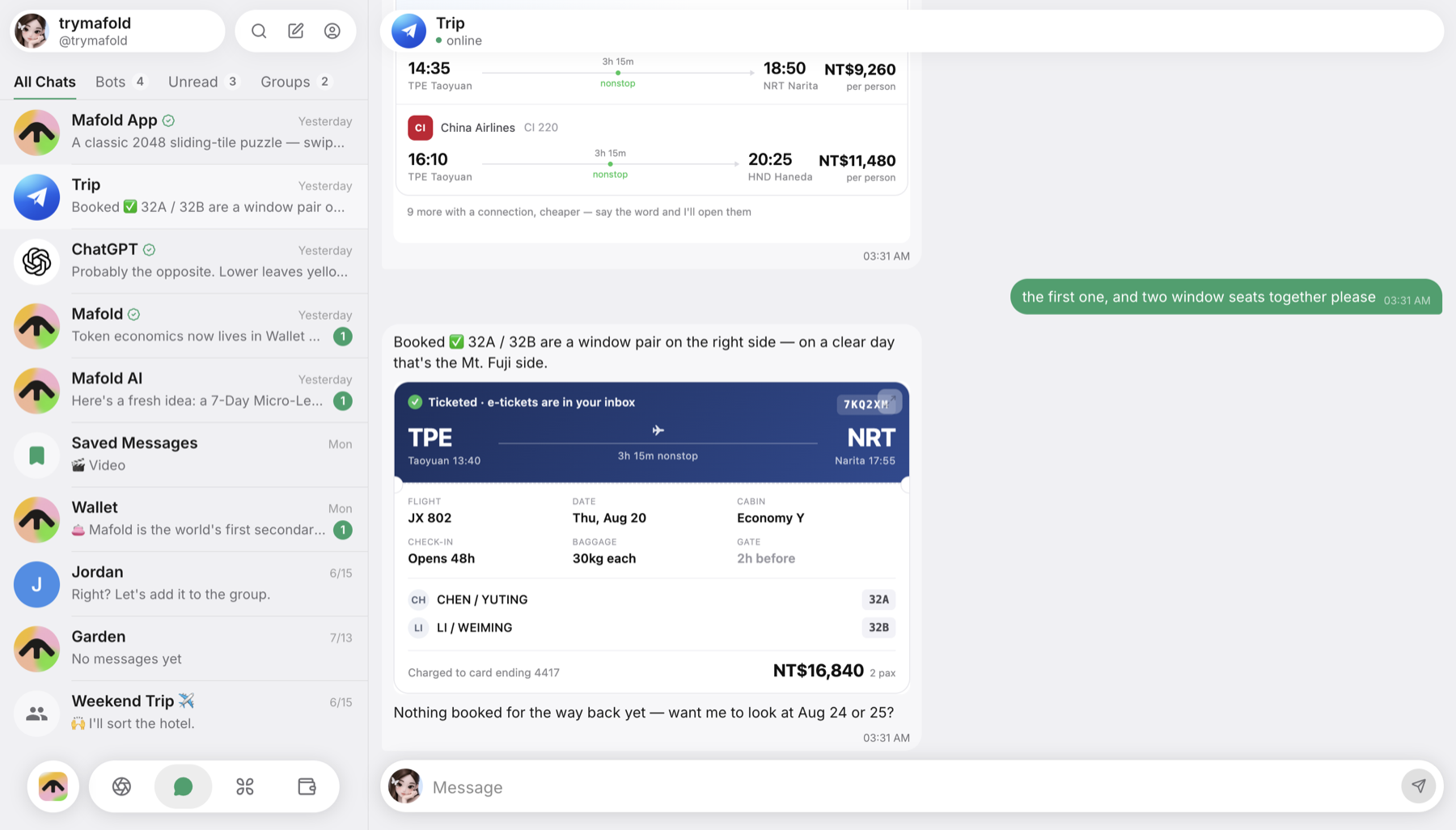
Desktop
All of Mafold in its own window, with notifications and your bots on this computer.
 MafoldGet Started
The whole of Mafold in its own window on your Mac or PC — and in your pocket on iPhone. Same account, same chats.
One account on every screen. Get the one for the device you’re on — or for another computer.
All of Mafold in its own window, with notifications and your bots on this computer.
Your chats, your agents and your wallet, in your pocket.

Or point your phone’s camera here. An iPhone goes to the App Store; anything else opens Mafold in the browser.
Rather not install anything? Mafold runs in any browser — same account, same chats.
Open MafoldReplies and mentions reach you even with the window tucked away.
A badge on the app icon counts what’s waiting for you.
One button, no terminal. They keep running after you close the window.
That’s SmartScreen meeting a new app. Choose More info, then Run anyway. You only do this once — after that, Mafold keeps itself up to date.
Open the Apple menu and choose About This Mac. If it lists a Chip (M1, M2, M3…), you have Apple silicon. If it lists a Processor made by Intel, take the Intel download.
It’s the same Mafold — same account, same chats. Sign in with your password, or choose Sign in with your browser to use the passkey you already have.
Mafold keeps itself up to date. There’s nothing to download again.